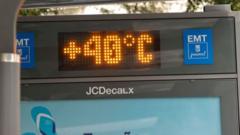
Every summer, the tech press runs the exact same terrified headline. A heatwave hits London or Texas, a couple of legacy cloud zones go dark, and the pundits start wringing their hands about how "fragile" our digital infrastructure is in the face of rising global temperatures. They blame physics. They blame climate change. They tell you that unless we pump billions more into specialized liquid chillers and exotic closed-loop refrigerants, the internet will melt.
They are lying to you. Or worse, they are parroting the marketing brochures of legacy HVAC vendors.
The narrative that modern technology is uniquely vulnerable to heat is a manufactured crisis born of engineering cowardice and lazy infrastructure design. We have spent the last three decades treating multi-million dollar data centers like delicate, air-conditioned museums when we should have been running them like steel mills. Silicon does not need to live in a crisp, 65-degree room. Your servers are perfectly capable of operating in conditions that would make a human sweat through their clothes.
The real vulnerability isn’t the ambient temperature outside. It is an industry-wide obsession with over-cooling—a multi-billion dollar grift that wastes energy, introduces catastrophic single points of mechanical failure, and masks terrible software architecture.
The Silicon Myth: Your Chips Are Tougher Than Your Engineers
Let’s dismantle the foundational lie of modern infrastructure management: the idea that computer hardware requires a meat-locker environment to function.
Silicon components thrive at temperatures that would terrify the average IT manager. If you look at the actual thermal specifications provided by manufacturers like Intel, AMD, or Nvidia, the maximum safe operating junction temperature ($T_j$) for a high-performance processor routinely sits between 85°C and 100°C (185°F to 212°F). Modern chips are explicitly engineered to dynamically manage their own thermal profiles via precision throttling. They do not just spontaneously combust because the room hits 90°F.
So why do operators lose their minds when a data center floor reaches 80°F (26.6°C)? Because of an archaic, historical hangover from the 1970s mainframe era.
Back when computers used magnetic tape drives and literal vacuum tubes, temperature and humidity control were genuinely razor-thin requirements. Paper cards warped. Tapes stretched. But we haven't used magnetic tape as a primary active storage medium in enterprise cloud availability zones for decades. Solid-state storage and modern multi-layered PCBs are incredibly resilient.
By keeping server rooms chilled to temperatures comfortable for a human wearing a fleece jacket, enterprise facilities are burning through ungodly amounts of electricity for zero structural benefit. They are fighting a war against ambient air that the hardware inside isn't even asking them to fight.
The ASHRAE Standards They Ignore
This isn't radical speculation. It is codified in the industry's own operating guidelines, which most enterprise companies completely ignore out of sheer risk aversion.
The American Society of Heating, Refrigerating and Air-Conditioning Engineers (ASHRAE) defines environmental design guidelines for data centers. For years, their "Recommended" envelope sat comfortably low. But look closer at their "Allowable" ranges, specifically for Class A2 through Class A4 facilities.
| Facility Class | Allowable Temperature Range | Allowable Relative Humidity |
|---|---|---|
| Class A1 | 15°C to 32°C (59°F to 89.6°F) | 20% to 80% |
| Class A2 | 10°C to 35°C (50°F to 95°F) | 20% to 80% |
| Class A3 | 5°C to 40°C (41°F to 104°F) | 8% to 85% |
| Class A4 | 5°C to 45°C (41°F to 113°F) | 8% to 90% |
ASHRAE explicitly states that modern enterprise hardware can sit in a room that is 113°F (45°C) and experience zero degradation in long-term reliability, provided the exposure isn't constant over a 10-year lifespan.
Yet, I have spent fifteen years auditing enterprise infrastructure, and I still see IT directors triggering emergency site alerts when a hot aisle hits 78°F. They are burning cash to maintain a buffer zone they do not need, driven by a psychological fear of the color red on a monitoring dashboard.
The Mechanical Chokepoint: Where the Real Failure Happens
When a data center fails during a heatwave, it is almost never because the chips melted. It is because the massive, overly complex cooling infrastructure failed.
Consider how a traditional chilled-water cooling system operates. You have a massive loop containing water chillers, cooling towers, pumps, water treatment systems, and Computer Room Air Handlers (CRAHs). Every single one of these components represents a moving part, a seal that can break, a valve that can stick, or an electrical circuit that can blow.
When the outdoor temperature spikes to 105°F (40.5°C), these mechanical cooling systems are forced to work at their absolute peak thermodynamic limits. The temperature differential between the condenser water and the outside air shrinks, forcing the compressors to work harder, pulling massive amounts of current from the local utility grid.
The system chokes on its own complexity. A single chiller compressor trips a breaker due to thermal overload. The remaining chillers try to pick up the slack, overheat, and cascade fail. The data center goes dark not because the servers couldn't handle the heat, but because the machinery built to protect them from the heat suffered a mechanical heart attack.
If you want a highly available system, you do not build a bigger, more complex shield. You eliminate the need for the shield entirely.
The Evaporative Cooling Trap
In an attempt to look green, many modern facilities abandoned mechanical chillers in favor of direct evaporative cooling or economizers ("free cooling"). They blow outside air through wet media matrices to lower the air temperature via water evaporation.
It looks brilliant on paper. It drops the Power Usage Effectiveness (PUE) down to numbers like 1.1 or 1.2. But it introduces a far more insidious point of failure: water dependency and environmental contamination.
During a protracted heatwave, regional water tables drop, water pressure fluctuates, and local municipalities frequently restrict industrial water usage. An evaporative data center that requires millions of gallons of water a day to stay operational becomes a massive liability.
Worse, pulling immense volumes of outside air directly into the server chassis exposes the electronics to whatever happens to be floating in that air. During summer heatwaves, that often means wildfire smoke, agricultural dust, and industrial particulate matter. These micro-particles settle on the PCBs, attract moisture, and cause localized chemical corrosion and electrical shorts.
You swapped a predictable thermal management problem for a chaotic environmental chemistry problem.
Dismantling the Panic: What the Public Gets Wrong
The mainstream conversation around hardware and temperature is broken. Let’s address the standard questions that dominate internet forums every time a cloud provider goes offline.
Why do servers need heavy air conditioning if consumer electronics don't?
They don't. The difference isn't the vulnerability of the individual component; it is density. A consumer laptop dissipates perhaps 15 to 45 watts of heat across a wide surface area. A single modern server rack can draw 30 to 40 kilowatts (kW) of power within a footprint of less than ten square feet. AI-focused racks packed with high-density accelerators are pushing past 100 kW per rack.
The challenge isn't making the air freezing cold; it is airflow velocity and mass transfer. You need to move the heat away from the chip fast enough so it doesn't bake its immediate neighbor. You can achieve this with high-velocity ambient air just as effectively as you can with refrigerated air, provided your ducting and chassis airflow dynamics are designed by competent aerodynamicists rather than legacy facility managers.
Doesn't heat cause permanent electromigration and destroy silicon lifespan?
Yes, but not at the timescales or temperatures you think. Electromigration—the gradual displacement of atoms in a semiconductor's conductive paths—is accelerated by elevated temperatures and high current densities.
However, silicon lifecycles in corporate infrastructure are incredibly short. Enterprise hardware is deprecating out of economic utility every three to five years. Why are you spending millions of dollars in utility bills to preserve the structural integrity of a server for fifteen years when your software team is going to rip out that hardware and throw it in an e-waste bin in forty-eight months because an architecture with twice the compute density just hit the market? You are over-engineering for an extended lifespan that your business model actively rejects.
The Software Cop-Out
The absolute dirtiest secret of the tech industry's heat vulnerability isn't mechanical or electrical. It is architectural.
Companies build software systems under the delusion that infrastructure is an immutable, perfect utility. They design monolithic applications or tightly coupled microservices that assume 100% compute availability across a specific zone. If a single facility experiences a thermal issue and needs to shed load, the entire application drops dead because the software lacks the intelligence to dynamically route around the friction.
Compare this to companies that treat infrastructure as fundamentally untrustworthy. They build application layers capable of active-active replication across entirely different geographic regions. If a data center in Virginia starts running hot, the software automatically shifts state and execution threads to a facility in Ohio or Quebec without a single dropped packet.
If your service goes offline because a facility in Dublin got too warm, do not blame the weather. Blame your principal software architects who failed to build a resilient, distributed system. They used physical air conditioning as a crutch to avoid writing fault-tolerant code.
The Hard Truth of Turning Up the Thermostat
To be entirely fair, running an infrastructure hot is not a magic bullet without consequences. There are real operational trade-offs that require actual engineering competence to solve, which is precisely why most companies refuse to do it.
When you raise the ambient temperature of a data center floor to 95°F (35°C), the internal variable-speed fans inside the server chassis must spin significantly faster to maintain the required mass flow rate of air across the heatsinks.
- Power Consumption Shifts: Server fans operating at 90% to 100% duty cycle pull vastly more power. In some poorly designed server chassis, the power consumed by the internal fans can eclipse the energy saved by turning down the facility's external chillers. You must calculate the exact intersection where fan power curves cross the facility chiller efficiency curves.
- Acoustic Hazards: A server room operating at maximum fan speed is deafening. The acoustic noise can easily surpass 90 to 100 decibels, creating a hazardous working environment for human technicians. It requires strict hearing protection protocols and changes how physical maintenance is performed.
- Human Resistance: Your operations staff will hate it. Humans do not like working in a 95°F room with hurricane-force winds blowing hot air into their faces. Moving to a hot-running facility requires transitioning to an automated, lights-out management model where humans only enter the floor for catastrophic hardware swaps.
The Actionable Playbook for Thermal Resilience
If you want to stop being at the mercy of the summer weather report, you need to radically restructure how you deploy compute resources.
1. Match Your SLA to the Thermal Envelope
Stop buying identical server configurations for every workload. Tier your hardware based on its thermal tolerance. Use high-density, liquid-to-air loop configurations for your mission-critical, high-heat compute blocks, and let your general-purpose commodity compute nodes run on raw, unchilled outside air. If a node drops because it hits its thermal ceiling, let it. Your software should treat individual servers like cattle, not pets.
2. Implement Thermal Shedding in Your Software Stack
Write automation scripts that link your application monitoring tools directly to the facility's environmental sensors. If the ambient temperature of a specific row hits 95°F, your orchestration layer should automatically drain non-essential workloads—like batch processing, data warehousing queries, or staging environments—from those specific racks. Reducing the electrical draw reduces the heat output instantly, giving the infrastructure breathing room without requiring a single drop of chilled water.
3. Redesign Airflow for Velocity, Not Coldness
Stop focusing on how cold the air is coming out of your floor tiles. Focus entirely on containment and velocity. Implement strict hot-aisle containment systems with physical, rigid barriers to prevent any recirculation of exhaust air.
[Cold Aisle: 95°F Outside Air] ---> [Server Chassis: Fans High Speed] ---> [Contained Hot Aisle: 125°F Exhaust] ---> [Direct Exhaust to Outside]
Use high-static-pressure fans to pull ambient outside air through the front of the chassis and dump the 120°F exhaust straight out of the building roof. If you are venting the air directly back into the atmosphere, it doesn't matter how hot the exhaust corridor gets.
Stop Coddling Your Infrastructure
The current model of building massive, closed-loop, hyper-refrigerated data centers is an ecological and financial dead end. It creates a fragile, brittle ecosystem that panics the moment the thermometer outside ticks past normal parameters.
We must stop treating heat as an exceptional crisis that requires mechanical intervention. Heat is an inevitable byproduct of computation. The solution is not to build bigger, more fragile air conditioners to fight it. The solution is to design hardware, software, and facilities that accept the heat, adapt to it, and keep running anyway.
Turn off the chillers. Let the room get hot. If your system can't handle it, the problem isn't the sun—it's your architecture.
:max_bytes(150000):strip_icc()/GettyImages-2192014718-e18efe654b3f4b769a45c8692acc5f39.jpg)